
In this blog, we are going to learn that how we can embed image into mail body, embedding images directly into the body of an email can significantly enhance the visual appeal and effectiveness of your communication. Power Automate, a versatile tool from Microsoft, simplifies this process, allowing users to automate the inclusion of images in their emails. This can be particularly useful for marketing campaigns, newsletters, or any scenario where a visual element can convey a message more powerfully than text alone.
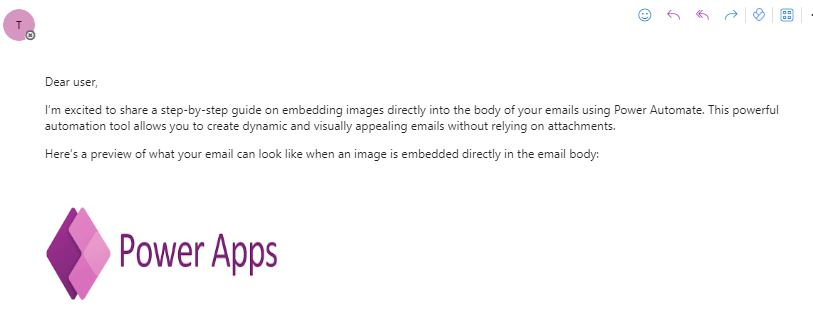
Implementation:
Firstly, we need a Cloud Flow, to create a Cloud Flow follow these steps.
- Go to https://make.powerapps.com.
- Sign into power apps.
- Click on the “Flows” from the left navigation panel.
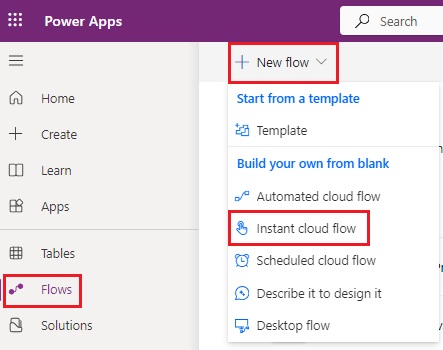
- Then click on “+New flow” and select “Instant cloud flow.
- Give a title to your flow.

- Select the “Manually trigger a flow” trigger.
- Click on “Create.”
Now add some actions.
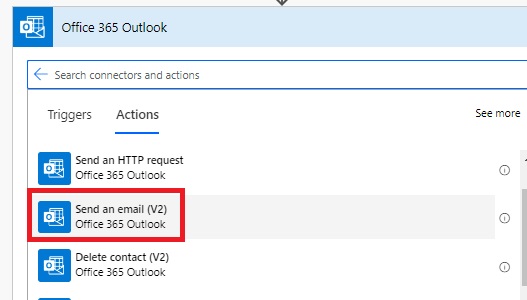
- Click on “New step,” and search for “Outlook”
- Select “Send an email (V2)”.
- Provide recipient email address, and subject.
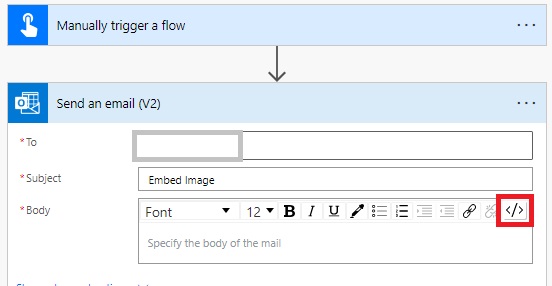
- Now for adding image in email body, switch HTML view to code view.
- Add image tag with src (<p><img src=” Image Path” )
- Also add (width=”300″ height=”200″ ></p>)
- You can change width and height according to your requirement.
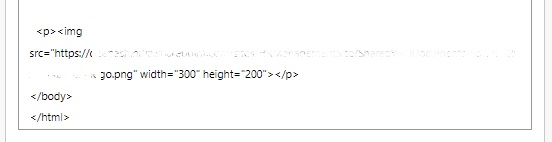
- For this image I’m using my SharePoint library.
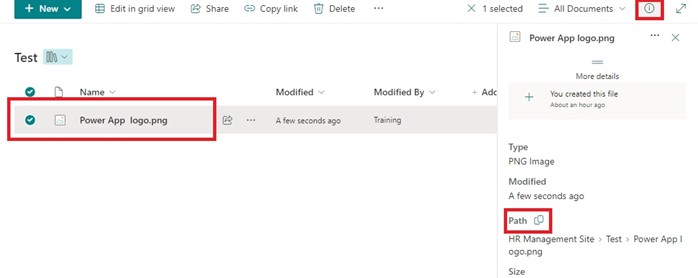
- I’ve image in my SharePoint library, so for copy image path.
- Select image > Click on “ℹ️” Information button and then scroll down and copy path for this image.
- I’ve also added text in this email body.

- Save and test your flow.
Output:
Outlook web:

Outlook application:
- As you can see that image is not visible in Outlook Application, because I’m using an image from a private library.
- You can use any other image available on public site

Hope it helps!
Power 365ing as usual!
Any requirements, implementation or consulting work in Power Platform or Dynamics 365 – end user, Microsoft partner or an individual?
Problem Area – Technical, Functional, Training, Development or consulting?
Me and my team are here to assist, please fill the following form for your business needs: Click here


